Create a GIF with OpenAI Images 2.6 API
Stephen Cheng
Intro
OpenAI Images 2.6 is OpenAI’s November 4, 2026 image update for ChatGPT, Codex, and the API. The main changes include:
- Animated GIFs - Turn a prompt, photo, or sketch into a short looping GIF, then change its speed or edit single frames.
- Faster generation - OpenAI claims images generate 50% faster than Images 2.5.
- Steadier edits - Characters, products, and brand details drift less across editing rounds.
- Two API models - Use gpt-image-2.6-flare for speed and gpt-image-2.6-sunburst for detail.
- Smaller additions - Export images in SVG, do markup-guided edits in the API, reference saved images, and use its complexity parameter.
OpenAI Images 2.6
OpenAI Images 2.6 is the image generation and editing release OpenAI released on November 4, 2026. It’s available as the image tool inside ChatGPT and Codex and as two separate models in the OpenAI API.
In ChatGPT, we can’t select a model of your choice or switch between its models, Flare and Sunburst. We just type a request, and it generates a GIF. But with the API, we can choose between two models by name, and control settings such as quality and complexity.
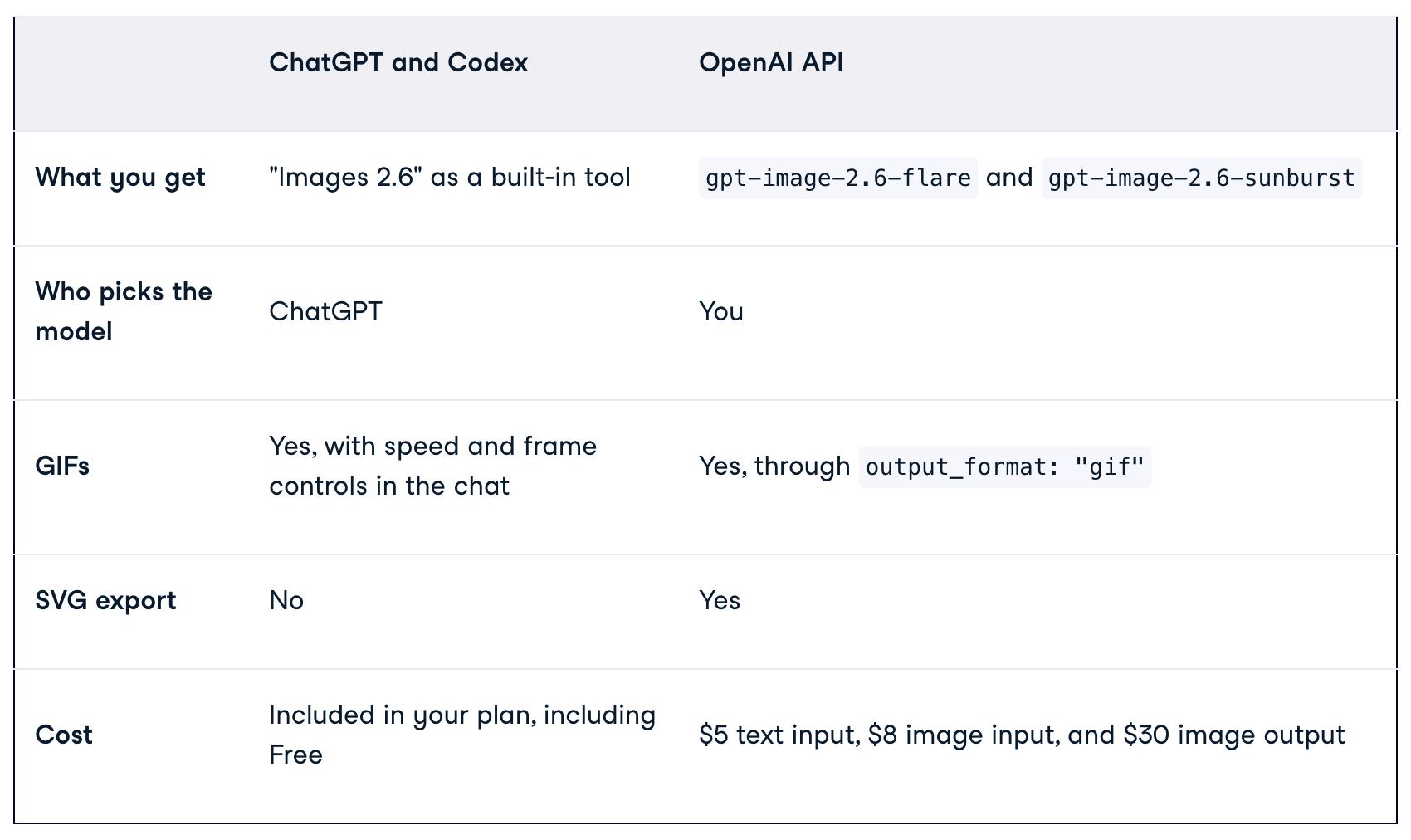
Both API models cost the same per token, and those rates match the Images 2.5 models. So the choice between Flare and Sunburst comes down to speed versus detail, not price. Per-image cost still varies because higher-quality settings use more output tokens.
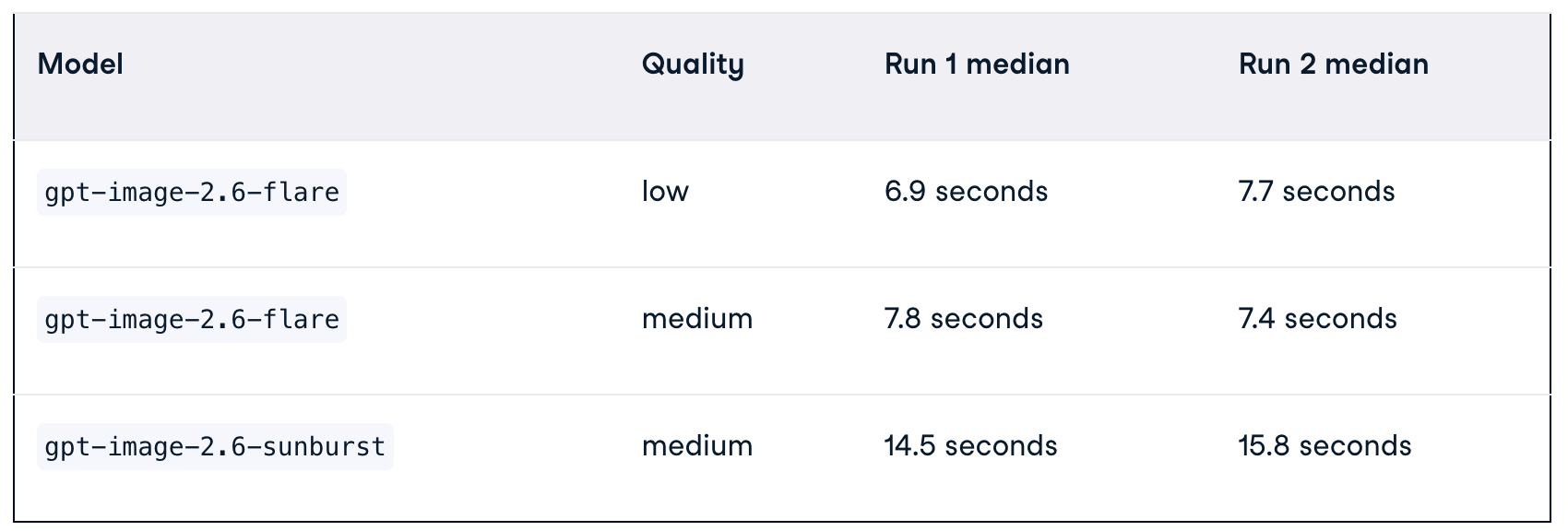
Images 2.6 adds animated GIFs, faster generation, steadier multi-round edits, and better layouts for professional visuals. OpenAI says Images 2.6 generates images 50% faster than Images 2.5, and that gpt-image-2.6-flare can return a low-quality image in as little as six seconds. That’s a bold claim, and the announcement doesn’t explain how it was measured.
So we tested it ourself. We gave Flare and Sunburst the same prompt, “A ceramic coffee mug on a wooden desk, morning light, product photo,” at 1024x1024 with complexity set to low. Flare ran at both low and medium quality, since low is the setting behind OpenAI’s six-second claim, and Sunburst ran at medium. Each setup ran five times, and we kept the median, because one slow response can throw off an average. Then we repeated the whole test, since network speed changes from run to run.
1 | import statistics |
How to Create a GIF With OpenAI Images 2.6 API
To make a GIF, ask for one in ChatGPT, or call the Images API with output_format: “gif”. ChatGPT is quicker for a one-off, but the API gives us control over frame count and timing, which is quite important if you’re making more than a handful of GIFs. To make a GIF with the OpenAI API, we need to send a request to the image generation endpoint with output_format set to “gif”. Two settings are specific to GIFs:
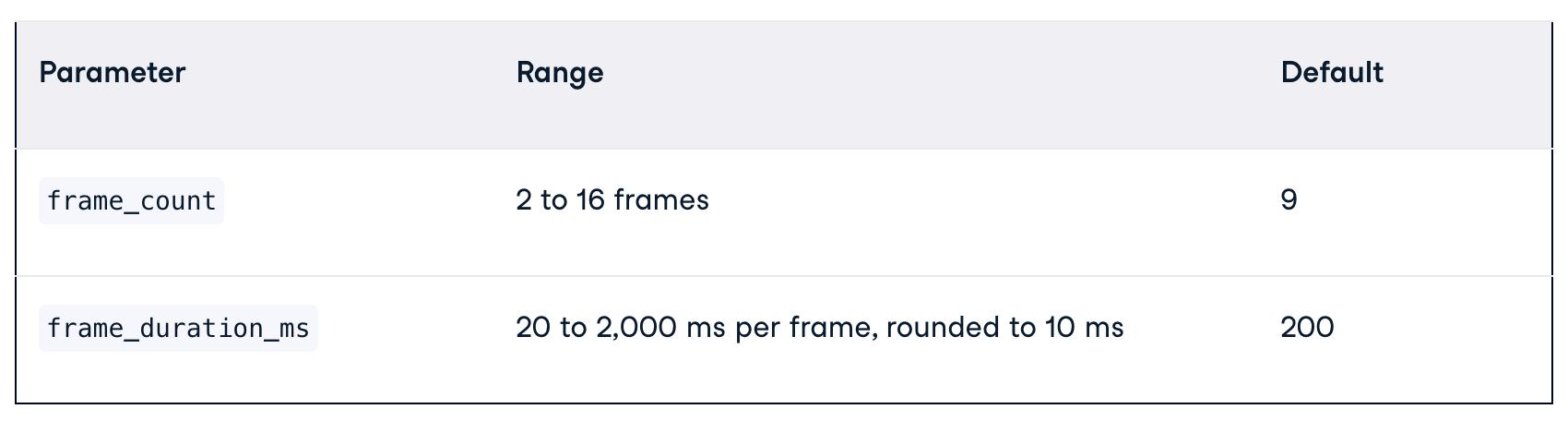
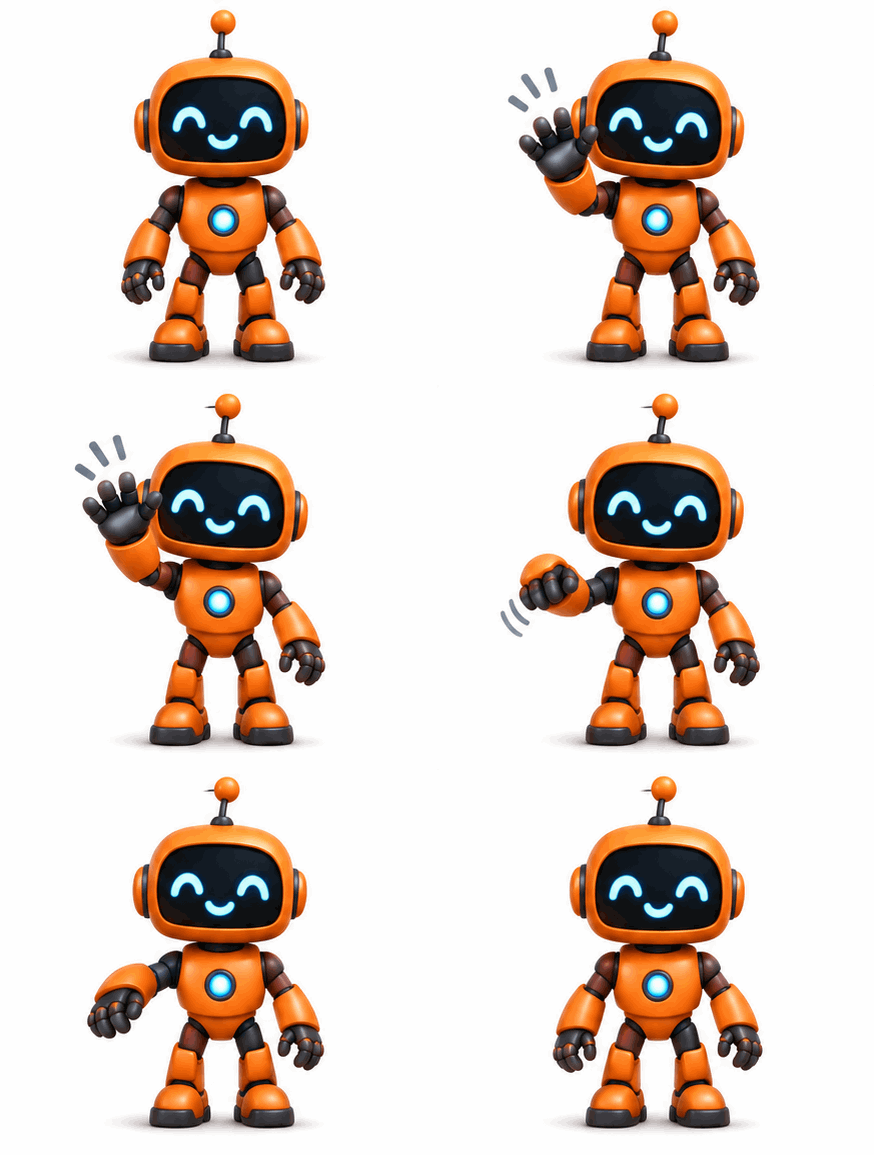
With the defaults, we get 9 frames at 200 ms each, so a 1.8-second loop. The API matched every setting exactly, down to the 512x512 size.
1 | import base64 |
Conclusion
If we make GIFs for social posts, mascots, or storyboards, Images 2.6 is a big change, because we no longer need a separate tool to animate your images.
Search
Made with ❤️ and ☀️ on Earth.